I was refactoring Plinky’s deeplink routing layer, and the process led to an unbelievable computing experience. Well it would be more accurate to say that Codex was refactoring Plinky’s deeplink routing layer while I slept, and then I had an unbelievable computing experience.
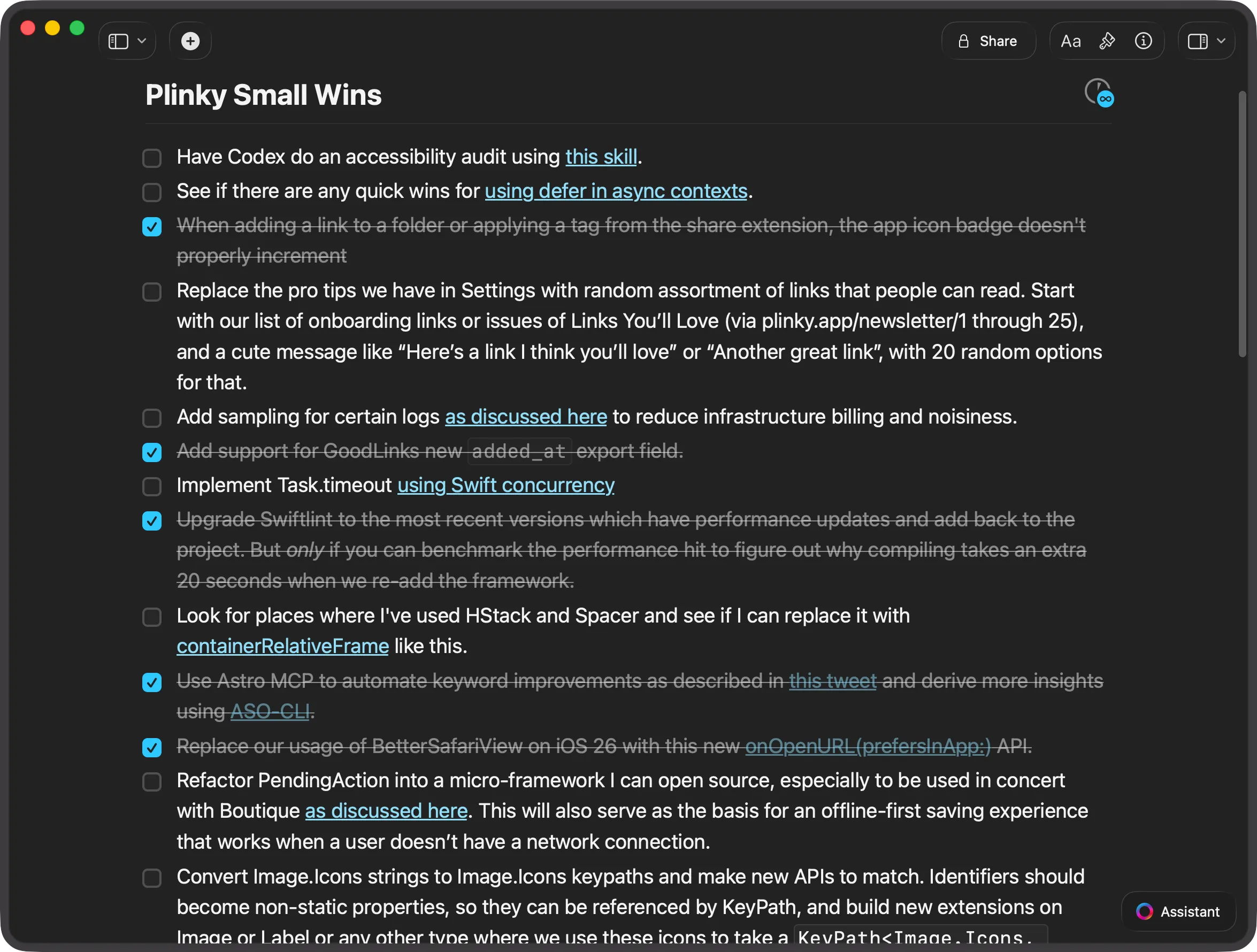
In my recent talk at Deep Dish Swift I shared that I keep a doc called Plinky Small Wins. This is where I keep small tasks that I want Codex to do overnight, and I wake up to a manageable pull request that I can review. I don’t want the work to be too big because then I’ll have a lot of code to review — and I’m still the blocker for shipping code to production.
I consider this constraint a feature, because it allows me to maintain quality control while benefitting from an agent that works while I sleep. This strategy works remarkably well because AI produces great results when given a well-defined narrow task to execute on. There’s always a test to write, some code to clean up, or something to improve, and there’s minimal risk since I’m reviewing everything before it ships.
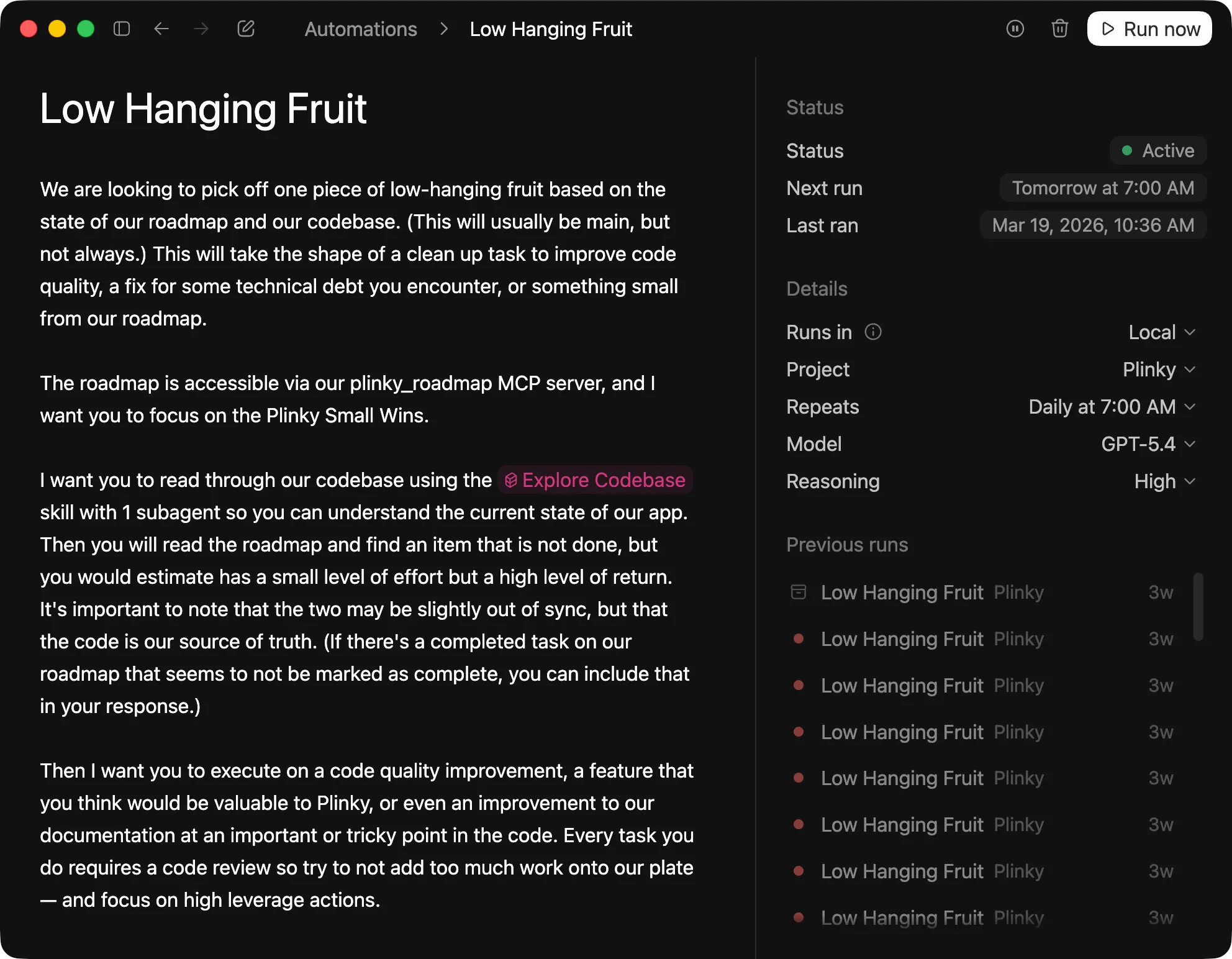
Every morning at 7am Codex runs this Low Hanging Fruit automation and reads the Plinky Small Wins doc over MCP so when I wake up I have some code waiting for me. This morning Codex refactored Plinky’s deeplink router and delivered a solution that was about 80% of what I wanted. The result was pretty much what I would have done, with a few changes that were actually better than anything I’d considered.
There was one assumption that drove an architectural change I disagreed with, but it was easy enough to ask Codex to correct that. I’m still the human in the loop, guiding the computer to the code I want. As a result I still need to review the generated code, tests, and validate the work my agent did.
Putting The Computer To Use
The code looked very good (and there was one idea that I really loved). The tests Codex wrote looked reasonable as well. But I was dreading the painfully boring task of manually clicking through a bunch of deeplinks to make sure they still opened to the right screens in Plinky. So I thought to myself, what if I could make the computer do that instead?
Lately I’ve been low-key obsessed with Codex’s new Computer Use plugin. Codex is unbelievably good at using a computer to do practically any task you throw at it. It’s also a terribly inefficient way to use a computer, except on one axis: the computer is working on your specified task while you’re doing something else. I don’t recommend Computer Use for everything, but it’s perfect for mindless, repetitive work.
And so I wrote this prompt to send Codex off to use the iOS simulator to make sure none of my deeplinks had broken:
While I’m reviewing the code, can you using @Flowdeck and @Computer to run a simulator and test to make sure we haven’t broken any routes? I want you to open Safari with deeplink URLs. You don’t have to test every route, but you should test at least 5, selecting the ones that are most likely to be broken through our changes. Upon opening Plinky via deeplink I’d like for you to wait 3 seconds and to take a screenshot. This will allow us to verify that the screen we expected to open did in fact open, or that the action we’re firing off worked.
Beyond My Intuition
Computer (as I’ll refer to Computer Use going forward) did in fact do what I asked it to do, but not quite how I expected. As you can imagine Computer is not human, so it couldn’t navigate the iOS simulator with as much dexterity as I can.
It ran into a problem typing out custom URL schemes thanks to some autocorrections in my iOS dictionary. Computer then pivoted and tried copying and pasting the deeplink string instead — but that backfired by executing a Google search for the URL. There were more hacky paths to take like tapping into iOS’s accessibility features, but we never got there.
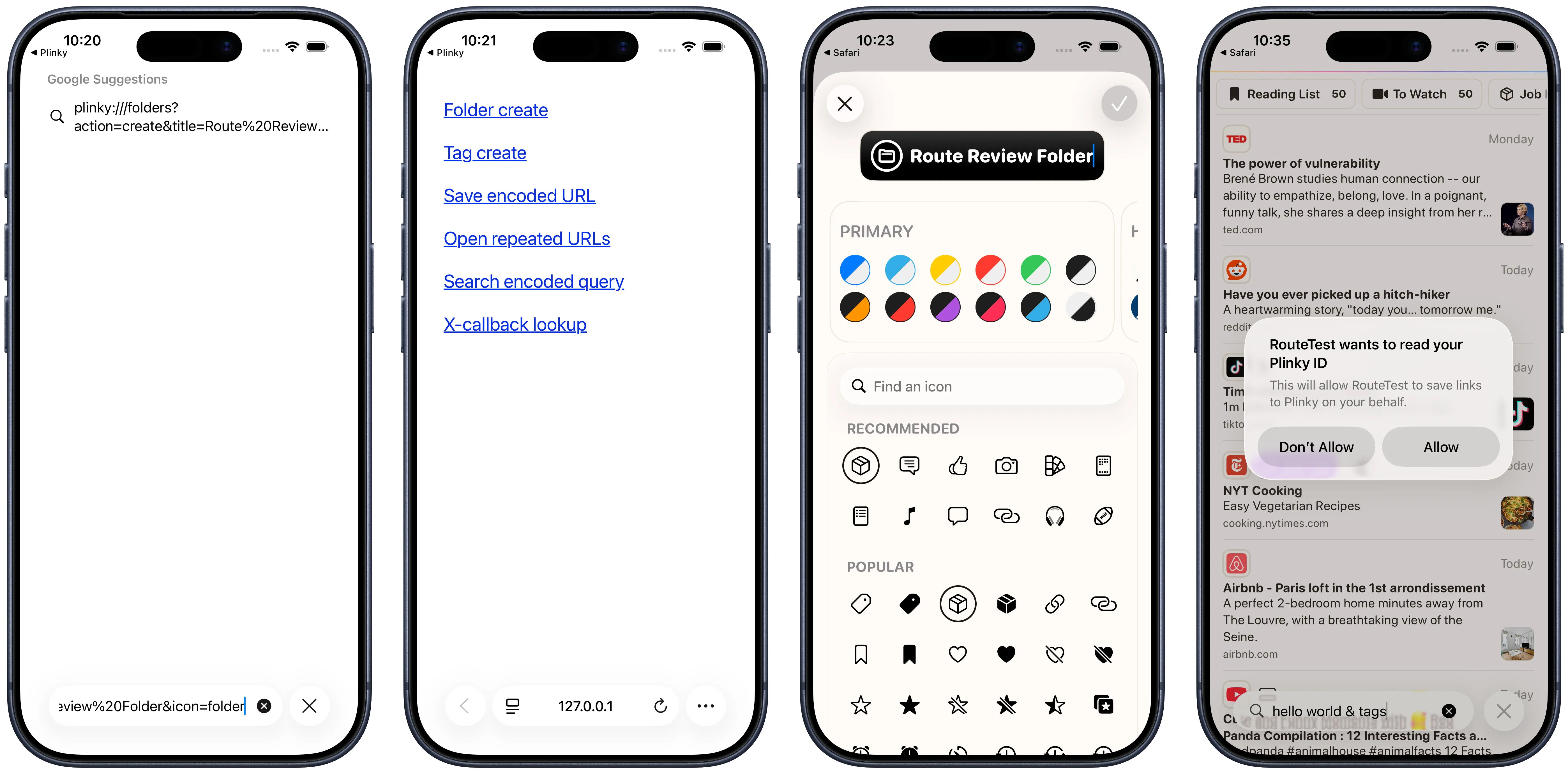
Instead Computer did something brilliant I’d never thought of: It created a small HTML page in /tmp with six deeplinks into Plinky that it could click to test our deeplinks. Rather than wrestling with the iOS simulator’s constraints, it sidestepped the problem entirely. After that, testing our functionality was incredibly easy, as you can see by the results.
Thinking Differently
This wasn’t just an example of automation making my life easier, it was also a moment where AI taught me how to be better at my job. In retrospect I should have a fixture like this in my app that I can reference, rather than the manual approach I’ve always taken for testing deeplinks. Over the last few weeks Codex has built custom CLIs for Plinky I’ve always wanted, suggested better approaches to problems I’m solving, and built a feature for Boutique I’ve wanted for over three years.
Today’s experience reminded me of an interesting note I found in the GPT-5.5 usage guide:
Improved instruction following: GPT-5.5 interprets prompts in a literal and thorough manner, enabling specific, descriptive instructions when the product requires them. Define success criteria and stopping rules, especially for long-running, tool-heavy, or evidence-gathering workflows. See: Write outcome-first prompts and Keep the right specificity.
This may seem like a subtle change, but the implications are radical. Because GPT-5.5 takes your constraints literally, the clearer you define the boundaries you need respected and your success criteria, the better the results will be.
Many people have begun treating their job as telling AI what to do, but you’ll get much better success working with AI if you focus your time on assembling context. Rather than providing step by step instructions, your job is to define the solution space your agent should work in. When you do that your agent will find paths you hadn’t considered, the same way I hadn’t thought to build out a deeplinks page as testing infrastructure. And I bet you’ll learn things about your own work too.
The term “prompt engineering” felt silly when it was coined because anyone can write words, so it disappeared from the lexicon as quickly as it appeared. Anyone can write words, but providing the right context is a real skill that not everyone excels at — and it’s the skill that matters most today. The best thing you can do right now is to get better at defining that space.
Loading Bluesky comments…
Loading Mastodon comments…